
Google Business Profile Not Showing Up? 7 Real Reasons and How to Fix Each One
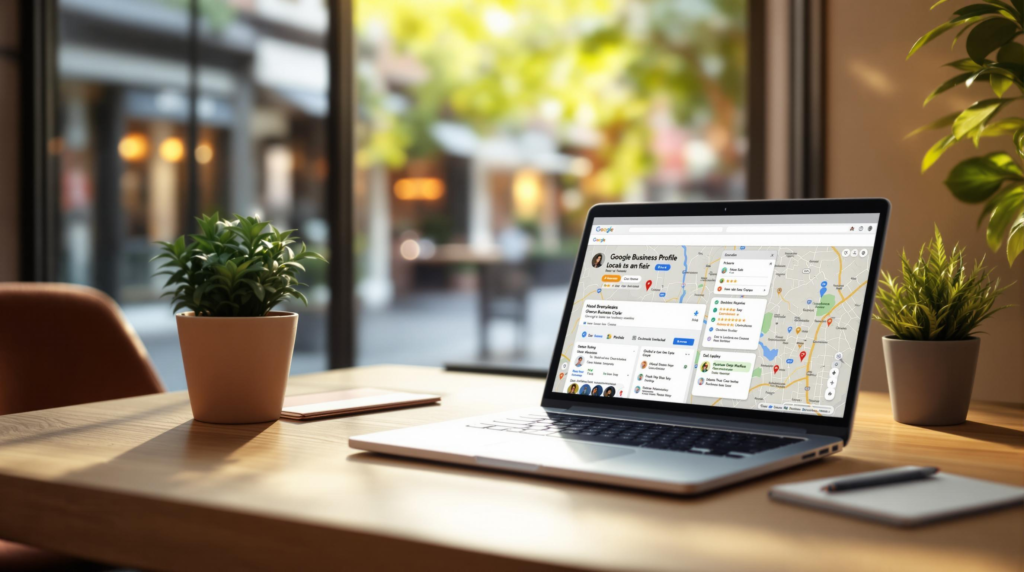
A Google Business Profile not showing up in search or on Maps almost always comes down to one of four states: it was never created, it exists but is unverified, it is verified but suspended, or it is live and simply ranking below what the customer sees. Each state has a different fix, and guessing at random is what turns a two hour job into three lost months.
This post contains affiliate links. If you buy through them, Elevoras may earn a commission at no extra cost to you. We only recommend tools we have actually used.
Most owners jump straight to “how do I rank higher” when their listing has not even finished verification. Google says verification review can take up to 5 business days, postcard codes usually arrive within 14 days, and those codes expire after 30. So a listing that disappeared last Tuesday may not be broken. It may just be sitting in a queue while you panic.
This guide walks the four states in the order you should actually check them, using Google’s own documentation rather than folklore from a Facebook group. It is written for local businesses in India and for small service businesses in the US and UK, because the diagnosis is identical in both markets.
Table of Contents
- Why is your Google Business Profile not showing up on Google?
- How do you check which problem you actually have?
- Is your listing verified, or did verification quietly fail?
- What gets a business listing suspended?
- Live but still invisible: why customers cannot find you
- What should you fix first this week?
- Frequently asked questions
Why is your Google Business Profile not showing up on Google?
“Not showing up” is one sentence that hides four completely different problems. Owners describe the same symptom, but the cause sits in one of these buckets:
- No profile exists. You searched, saw nothing, and assumed Google removed you. Often the listing was never created, or it was created on a different Google account by a staff member who left.
- Created but unverified. The profile exists in your dashboard and is invisible to everyone else. This is the most common case for businesses under six months old.
- Verified but suspended. The listing was live, then vanished. Something in the name, address or category tripped a policy check.
- Live, verified, and just ranking too low. The profile is perfectly healthy. It appears for people standing near your shop and disappears for people three kilometres away.
Short version: A Google Business Profile not showing up is a visibility problem in only three of four cases. The fourth, and the most frequent one for established shops, is a ranking problem wearing a visibility costume. Check verification status first, suspension second, and ranking last.
Sorting the four apart takes about fifteen minutes. Skipping that step is why so many owners pay for “listing fixes” that were never needed.
How do you check which problem you actually have?
The single biggest mistake is testing from your own phone, at your own shop, while logged into the account that owns the listing. Google personalizes that result heavily. You are seeing a version of the search almost none of your customers see.
- Open an incognito window and sign out of Google entirely.
- Search your exact business name plus your city. If the profile appears here but nowhere else, it is live and you have a ranking problem, not a visibility problem.
- Search the service, not the name. “Physiotherapy clinic Adyar” tells you far more than searching “Sri Balaji Physio”. Customers search the first way.
- Change your test location. On desktop Maps, drag the map to a neighbourhood two or three kilometres away and search again. This is where most profiles quietly vanish.
- Open your Business Profile dashboard and look for a “Get verified” button. If it is showing, Google never completed verification.
- Check your Business Profile performance report. Zero searches and zero views means invisible. Views with no calls means visible but unconvincing, which is a different article.
When a Chennai clinic tells us they are invisible, the first thing we do is not touch the profile at all. We run those six checks. More often than not the listing is healthy and simply never appeared for the category the owner assumed they owned. That is a much cheaper problem to fix than a suspension.
Is your listing verified, or did verification quietly fail?
Verification failing silently is the most under-reported cause on this list. Google’s documentation is explicit: if the “Get verified” button reappears on your profile, it means Google could not completely verify the business and you need to try again, sometimes with a different method.
Three details from Google’s verification documentation catch people out repeatedly:
- Editing kills your postcard code. If you change your business name, address or category while waiting for a code in the mail, the code you were sent stops working. Requesting a new one invalidates the old one and restarts the wait.
- Verification methods are chosen by Google, not by you. Video recording, phone, text, email, live video call and postcard are offered based on your business type and region. You cannot pick.
- Search Console can verify you instantly. If you own the website and have verified that domain in Google Search Console, your profile can sometimes be verified on the spot. Most small businesses never learn this.
One useful side signal: Google’s Profile Strength indicator only appears for verified listings. If you cannot find it in your dashboard, you have your answer without digging further.
What gets a business listing suspended?
Suspensions feel arbitrary and rarely are. Google’s guidelines for representing your business spell out the triggers, and the same four show up again and again for small businesses.
- Keywords stuffed into the business name. Your name must match your real world signage. “Sharma Dental” is fine. “Sharma Dental Best Dentist in Jaipur” can get you suspended. Google’s own examples ban taglines, store codes, phone numbers, city descriptors and service words in the name field.
- A virtual office or unstaffed address. A rented mailing address you do not operate from is not eligible for a profile. Co-working desks only qualify with clear signage and staff present during stated hours.
- Duplicate profiles. One profile per location. Two listings for the same business fight each other and often end with both suppressed.
- A service area stretched too far. Google says a service area should not extend beyond roughly two hours of driving time from your base.
If you run a service business from home, hide the address and set a service area instead. Google states this directly for plumbers and similar trades operating from a residential address.
| What you are seeing | Most likely cause | What to do | Realistic timeline |
|---|---|---|---|
| Nothing at all, even searching your exact name in incognito | Never created, or unverified | Claim it, then complete verification | Instant to 5 business days, up to 14 days by post |
| “Get verified” button keeps reappearing | Verification did not complete | Retry, ideally with a different method | Another 5 business day review |
| Was live, then vanished overnight | Suspension | Fix the name, address or duplicate, then appeal | Days to several weeks |
| Shows at your shop, missing two suburbs away | Distance and prominence, not a fault | Categories, reviews, photos, local content | 4 to 12 weeks of steady work |
| Shows for your name, never for your service | Wrong or missing primary category | Reset the primary category, add secondaries | Days to a few weeks |
Would rather not work through this yourself?
Elevoras builds websites, social systems and automation for local businesses in India, the US and UK. One team, one price, no juggling five vendors.
Live but still invisible: why customers cannot find you
This is the bucket most established businesses land in, and the one that gets misdiagnosed constantly. Google is unusually clear about how local results work. Three factors decide them: relevance, distance and prominence.
Relevance: your category is doing more work than your description
Google’s rule for categories is to complete the sentence “this business is a”, not “this business has a”. A gym with a pool is a health club, not a swimming pool. A restaurant that only delivers is a pizza delivery service, not a takeout restaurant. Pick the fewest, most specific categories that describe the core business, and let Google infer the broader ones.
In the local businesses we have onboarded, primary category and photo count are the two fields nobody had touched since the day the listing was created. Fixing the category alone often changes which searches you appear for within a couple of weeks.
Distance: the honest limitation nobody mentions
Short version: Distance between the searcher and your shop is a ranking factor you cannot optimize. If a competitor sits 800 metres from the customer and you are 8 kilometres away, you may lose that search regardless of how strong your profile is. Google also states there is no way to request or pay for better local ranking.
That is the part most local SEO pitches leave out. You can widen your effective radius with reviews, photos, posts and a genuinely useful website, but you cannot beat physics. If your customers are concentrated in an area you are not near, the honest answer is a second location or paid ads, not more profile tweaks.
Prominence: reviews, links and everything off the profile
Prominence is how well known your business is, and Google explicitly counts how many websites link to you and how many reviews you have. This is where your website stops being decoration. If nobody links to you and your site does not convert the visits you already get, the profile is carrying weight it was never designed to carry. That is the same underlying issue behind a business website that is not getting leads.
Reviews are the lever most owners underuse, mostly because asking is awkward and nobody remembers to do it after the job is done. If you want that ask to happen automatically, a follow-up platform like GoHighLevel can trigger a review request by SMS or WhatsApp a day after each job closes. The honest limitation: it is priced and built for agencies and multi-service businesses, so for a single-location shop with twenty jobs a month it is overkill, and a reminder in your phone works just as well.
What should you fix first this week?
In priority order, not in “do everything” order. Stop at the first one that applies to you.
- Confirm verification. Look for the “Get verified” button. If it is there, nothing else on this list matters yet.
- Strip your business name back to reality. Remove the city, the services and the superlatives. Match your signboard exactly.
- Reset your primary category. Use the “is a” test. Add secondary categories only for things you genuinely are.
- Hunt for duplicates. Search your name, your old address and your old phone number. Report any duplicate you find.
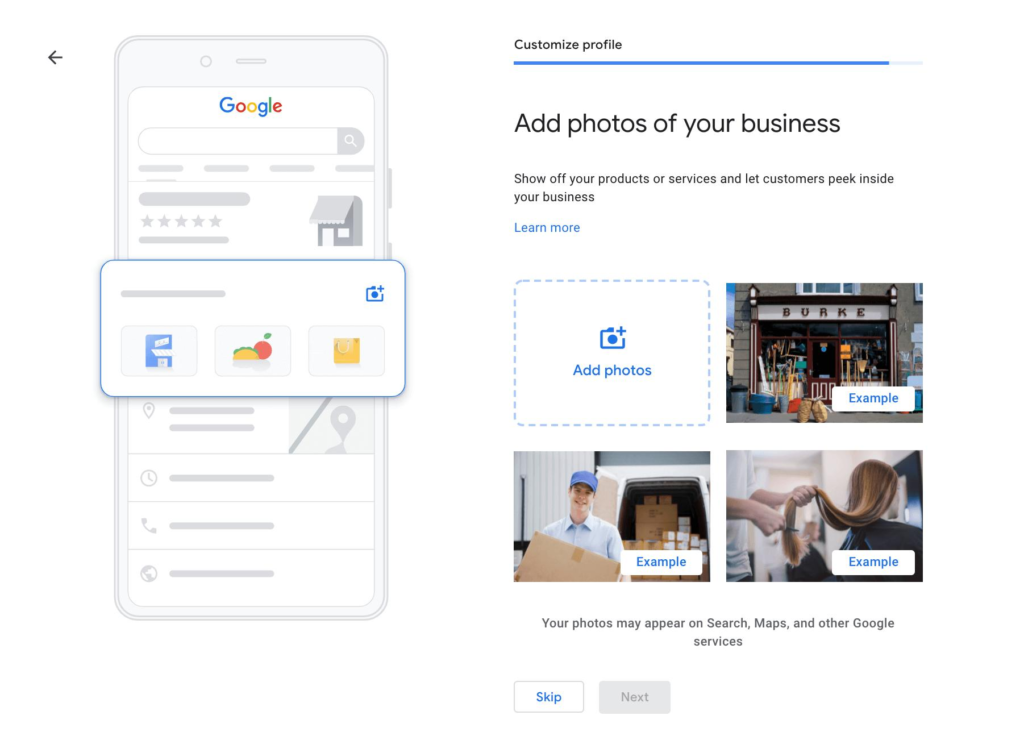
- Add ten real photos. Storefront, interior, team, work in progress. Real ones from a phone beat stock images every time.
- Ask your last twenty happy customers for a review. One message, one link, no template that sounds like a robot wrote it.
- Point the profile at a page that converts. Not the homepage. The page about the service they searched for.

Honestly, this work takes an afternoon and outperforms three months of social posting for most local shops. Nobody wants to hear that because it is boring, and because a category dropdown is much less fun to talk about than reels. It sits inside the wider system we describe in our guide to growing a local business online in India, where the listing is the front door and everything else feeds it.
Once the profile is healthy, the two things that compound are a site that actually converts the clicks and a social presence that gives people a reason to trust you before they call. If you are budgeting that work, our breakdown of what a small business website costs in 2026 and our guide to growing Instagram as a local business cover both sides. We also build the conversion side directly through our web design service.
Frequently asked questions
How long does it take for a Google Business Profile to show up?
Google reviews verification for up to 5 business days, and some profiles verify instantly. If you verify by post, most codes arrive within 14 days. After verification completes, the listing usually appears in Maps first and in Search shortly after, so give it a few days before assuming something is wrong.
Why is my business profile not publicly visible?
Unverified and suspended profiles are both invisible to the public while visible to you in your dashboard. Check for a “Get verified” button first. If verification is complete and the listing still cannot be found in incognito, treat it as a suspension and review your business name, address and duplicates.
Why is my business not showing up on Google after verification?
Usually because it is ranking rather than missing. A Google Business Profile not showing up for a customer two suburbs away is normally a distance and prominence issue, not a fault. Search in incognito from a different map location to confirm, then work on categories, reviews and photos.
How do I enable my Google Business Profile?
Sign in to the Google account that owns the listing, search your business name or “my business” on Google, then claim or add it. Complete the verification method Google offers you, which may be video, phone, text, email, live video call or postcard. You cannot choose the method yourself.
Can I pay Google to rank higher in the local map results?
No. Google states plainly that there is no way to request or pay for a better local ranking, and it keeps the algorithm details confidential. Anyone selling guaranteed map pack positions is selling ordinary optimization work with a guarantee they cannot honour. Local Services Ads are separate and clearly labelled as ads.
Related guides
- How to grow your local business online in India
- Why your business website is not getting leads
- How much a small business website costs in 2026
Want this done for you?
We will build you a free 3-page demo website in 48 hours. No payment, no contracts. If you like it, we keep going. If not, you keep the demo.
Written by Hemachandhar, Founder of Elevoras Agency, Chennai. He builds websites, social media systems and business automation for local businesses across India, the US and the UK. This guide is based on work delivered for real clients and on Google’s published documentation, not theory.
Last updated: July 2026
The full-stack creative agency — social media, video, web design, and automation for growing businesses. Based in Chennai, serving India + international clients.
Related posts
How to Grow Your Local Business Online in India (2026 Guide)
Social MediaHow to Create Instagram Reels for Business Without Showing Your Face
Social MediaHow to Grow Your Instagram as a Local Business in India (2026 Guide)
Want us to build systems like this for your business?
Content, websites, and automation — handled for you.
Book a call